Smarty's Excel & Google Sheets plugins for geocoding & address validation



Did you miss our recent webinar on how to use our new Google Sheets and Excel plugins for address validation? Don't worry; we've got you covered. This blog post provides an in-depth summary, highlighting essential functionalities, setup processes, and answers to some pertinent questions raised during the webinar.
Here's what you can expect to read about in this blog:
The basics
We want to make it easier for businesses to validate addresses and retrieve necessary data efficiently. While we do have a bulk validation tool that can be accessed as a demo or a full tool, we find that most people are already working with address data in a spreadsheet form, usually in Excel. So instead of making you copy and paste your data into a validation tool, you can now use a plugin to access Smarty's address validation directly inside Google Sheets or Excel.
In this webinar we demonstrated on Google Sheets; however, an Excel version is also going to be available. The Google Sheets plugin we showcased is not yet available as of the date of publication, but should be available any day now, with the Excel version coming shortly after.
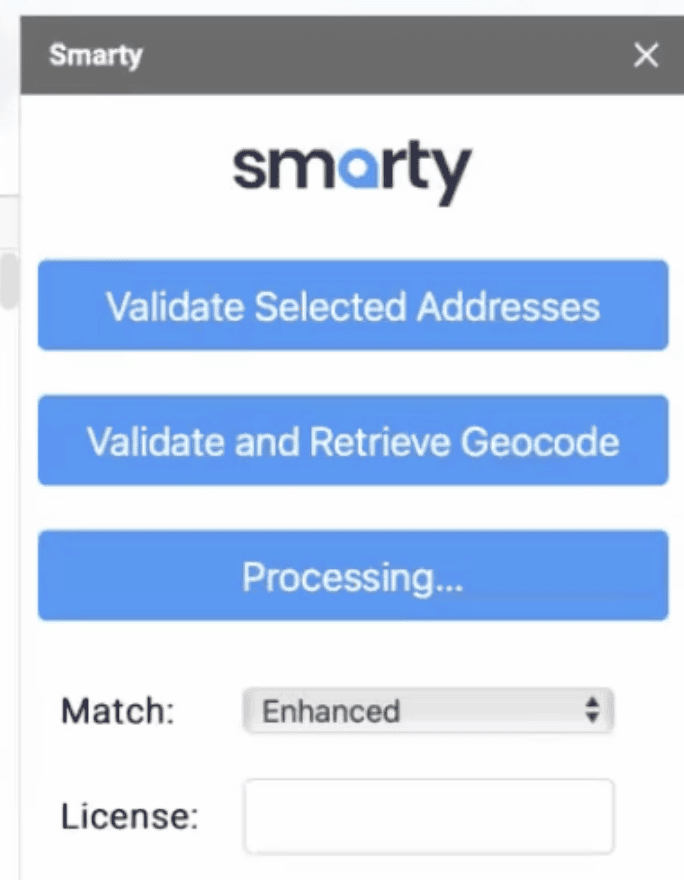
The plugin is designed to be as user-friendly as possible. The operation boils down to highlighting the addresses in your sheet and clicking a "Validate" button.
Functionality
While you can use the plugin to check just one address, doing bulk validation is where Smarty's power can be seen. Simply highlight a list of addresses, click validate, and retrieve all the validated data.
If you're used to using the bulk validation tool you'll be surprised to know that you don’t need to have column headers, nor break your data out into separate components. The plugin currently supports freeform input, where the entire address is in a single cell. Split-cell functionality is still under development. So if you have your address data by components, you'll need to join the cells before you process them.
Once you've processed your records, which happens with classic Smarty™ speed, you'll be able to view all of the address data for each address validated. You'll see status messages, postal matches, and additional meta-data straight into your spreadsheet.
Getting started
For Google Sheets, go to Extensions -> Add-ons -> Get Add-ons. You'll find the Smarty plugin listed in the Google Workspace Marketplace for free. For Excel, it'll be via the Excel store.
Once you've installed the plugin into either Google Sheets or Excel, simply insert your Auth ID and Auth Token, which you can retrieve from your Smarty API keys page.

For detailed written setup instructions, see How to batch geocode and validate addresses in Excel.
Q&A
Q: How does it handle multiple candidate addresses?
A: Picks the first, best candidate, similar to our other bulk validation tools.
Q: Can it validate suite numbers?
A: Yes, suite numbers are validated, maintaining API functionalities.
Q: Do I still get deliverability and other data?
A: The plugin provides a status message for each address, and additional deliverability data is also available.
Q: When will the plugins be publicly available?
A: Smarty's Address Verification Google Sheets plugin is now live.
Smarty's Google Sheets and Excel plugins promise to be powerful tools for professionals regularly dealing with address data. They offer a streamlined, efficient way to manage large datasets and validate addresses without coding.
If you're a CIO, data analyst, operations manager, or anyone who could benefit from these functionalities, download the plugin now.
Stay tuned for more updates from Smarty, and don't forget to check out our suite of address APIs for more robust solutions.
Eager to streamline your address validation process? Register to our newsletter to get notified when these plugins become publicly available.
You can view the entire webinar recording here: